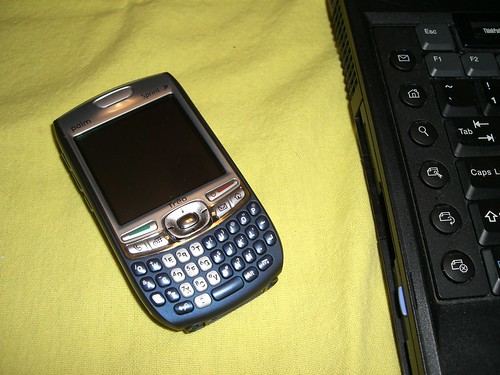
This is my life. Sometimes shown through the eye of my camera phone, and sometimes not. I'll talk running, gadgets, music, and whatever else I stumble on to

Wednesday, June 03, 2009

Why I'll be getting a Palm Pre

I love the iPhone.

There, I said it.

But I hate AT&T's service coverage.

If I hadn't had such a bad experience with AT&T as the IT guy that's responsible for making iPhone's work with our corporate email system, things would be different. It really sucks too, because as a lifelong Sprint subscriber, I would drop them for AT&T and the iPhone in a split second. This, my friends, is not meant to be. Sprint has been good to me, no complaints here.

Our Help Desk is usually busy with calls from our extensive mobile work force, using AT&T iPhones and 3G laptop cards, complaining about lack of service, poor coverage and dropped VPN connections while traveling. My two week stint with a test iPhone was a pleasant experience, but I would rate its coverage below my Sprint enabled Palm Centro, hands down.

That being said, I do question Palm's decision to release the Palm Pre just two days before the start of Apple's World Wide Developer's Conference and risk silencing the Palm Pre's thunder if a new iPhone is unveiled. As a long time Palm devotee, I truly want the company to succeed. If the Palm Pre is their ticket to once again becoming the giant of the mobile world as they once were, I want to be along for the ride, no matter what the end.

So, come Saturday morning, I hope to have my hands on this revolutionary new smartphone. It's fresh, it's new, and it's Palm. I've grown bored and tired with Palm's Garnet OS, and am ready for something new. It will be fun to see how it all unfolds.

I'm pretty sure I'll be posting my first impressions of the Pre once it's in my hands. Coming soon.

Update: Engadget finally has an extensive review of the Pre up. Read it here.

Labels: , , ,

Thursday, August 23, 2007

Resco Backup Saves the Day


I'm a happy owner of a Treo 755P, and up to this point, it has been solid as a rock- that is until 5:45 a.m. this morning.

I was sound asleep until I noticed something flashing in front of me as I was coming out of my slumber. I initially thought my alarm clock had lost power and was flashing at me as it normally does when that happens (it sits next to me on the bed). As I open my eyes further, I can see my 755P's screen flashing the "Access" logo in an endless loop sitting in its dock. Over and over.

I panicked.

Normally, I wouldn't bother with it until I actually got up. The only problem with this morning's scenario is that I had to drive to Kansas City, MO. in TWO HOURS! I MUST be able to use TomTom GPS on my Treo for this trip! Must I resort to printing out Google maps on paper? OH, THE HUMANITY!

I try a soft reset- nothing. Take the battery out- nothing. Bang on it- nothing. Kiss it- nothing. It's about as dead as dead can be. I did load maps on it earlier in the day, but it never caused a problem before??? I was confused.

The only thing left to do? A dreaded hard reset. Ouch. I'm due to jump in the shower and pack the car in one hour. How am I supposed to reload this thing in such a short time?

Resco Backup to the rescue.

I have Resco doing scheduled backup's nightly using two different backup sets. One backup set backs up on alternate days, while the other set backs up the day in between. I do this in case I need to restore a backup set done two days prior.

I take out the SD card (where Resco stores the backup sets), do a hard reset, put the card back in, start Resco, select one set and reset the device. Nothing- still getting a reset loop.

I start over, but this time I use the alternate backup set, reset my Treo, and whala! All of my data is back along with my beloved Tomtom GPS software. Everything works perfectly.

I did all of this while I was still in bed, head on pillow, and barely awake with one eye open!

What a sigh of relief.

Check out Resco Backup for Palm OS here
.

Labels: , , , ,

Friday, May 04, 2007

Resco Backup = Life saver

I wanted to give props to one of the more important Treo 700p applications I own- Resco Backup. If you're into trying out the latest Palm applications when they're released like I am, you're going to want a good backup solution to get you out of a jam when things go wrong.

I recently ran into a major problem with my Treo. For whatever reason, almost every icon on my Palm launcher would reset my 700p. Only a select few apps would actually launch when I clicked on them. I did load a couple of apps earlier in the week, but didn't really notice a problem until later on.

After uninstalling the suspected apps, I was still running into the same problem. I was leaving on a trip out of town and really needed my Treo to work properly before getting started. After a reset or two to no avail, I fired up Resco Backup hoping that the scheduled backup it made at 1 a.m. earlier that morning worked. It did.

I did a full restore off of the SD card and reset the phone. Everything came up without any errors, the resets were gone, and I suffered no data loss.

Resco Backup came through again and saved the day.

Check out all of the great Resco apps at Resco.net or try Resco Backup here.

Labels: , , ,

Tuesday, April 17, 2007

Review: Mundu IM v.4 for Palm

Review: Mundu IM v.4 for Palm OS
Developer: Geodesic
Platform: Palm
Device: Sprint Treo 700P

Geodesic's Mundu IM mobile messaging client is fast becoming one of my favorite Palm Treo apps to date. Since the demise of Verichat, I've been hunting around for a Palm based IM client to fill the void.

Mundu IM allows messaging accross all of the major IM services including ICQ, Jabber, Google Talk, MSN, and Yahoo. The cross conferencing feature of Mundu is unique, innovative, and quite useful (more on this later). The one feature that is not available in this release is the ability to sign on to two IM accounts on the same service - a feature found in Mantra Group's Causerie, which I've used with mixed results.

Mundu's chat interface is squeaky clean and a pleasure to use and work in. Your chats open up in a separate tab from your main contacts window. A small talk bubble starts to flash on the tab when you've received a new message, and the main Contacts tab is nicely organized. The views in your buddy list window can be customized various different ways to get the view you prefer (i.e. less clutter).

On five way navigation: The Treo 700P's five-way nav pad works as it should in the main chat window. It gets a bit tricky when you try to navigate through the different menu's, though. At times, I've had to bring out the stylus to scroll down to the various selections.

On speed: I tested this by having one of my AOL IM accounts open on my desktop PC, and another open on my Treo. The delay to either chat window was less than a second either way. No problem here.

On background performance: Various alerts can be set when the app is running in the background to alert you to incoming chats. These include vibration, sound, and pop up windows. They do not, on the other hand, light up the screen or flash the Treo's signal meter when the device is in sleep mode, so you won't notice a chat has come in unless you've got the volume up on your sound alert. I hope this changes in an upcoming release.

On opening and closing the app: I can do without the splash screen that shows up when Mundu is started. This delays opening the app by about 2 to 3 seconds. Exiting the app is fast, unlike Causerie which took about 13 to 15 seconds to close on exit (!!!).

On battery drain: Ok, no doubt this app will suck out your battery power if you have email open, the browser running, and you're talking on the phone with a bluetooth headset all at once, which I've done. It took about 3 hours of doing this before the battery was dead on a 70% charge. From what I can tell, it is easier on the battery than Causerie was, which is a significant improvement.

On chatting with your buddies: Something Causerie has over Mundu is the ability to assign your contacts an alias name so you can easily identify them in your chat window- a useful feature when you've got +40 buddies. This was nearly a killer for me. The chat window is a bit small, and I found myself scrolling the chat window more often than not to look back at the chat history during a busy conversation. There is an option to turn the tool bars off and on, which helps expand the chat window a little.

On conferencing with your buddies: I have two words to describe this handy feature- simply cool. I had an incident recently when I needed to conference in to friends on my chat to talk about a local music venue we were researching. I fired up the conference window, sent the invites, and all were joined and chatting in a few seconds- right on my Treo. It all worked flawlessly- I bought the software the second the chat was over.

The price? A one time fee of ONLY $11.00 with no recurring charges. Upgrades and minor bug fixes are free for the lifetime of the product until the next major release, and there is a 5-day fully functioning trial period.

Pros: Clean interface, multiple IM service support and logins, conferencing, tabbed chat window, customizable buddy list, sound/pop-up/vibration alerts, incoming chat indicators, file transfers, chat history, inexpensive

Cons: Unable to assign alias to buddies, battery drain is noticeable, small chat window (with toolbar unhidden), "MunduIM" logo in upper left takes up valuable screen real estate, alerts can remain hidden when Treo is in sleep mode

Recommended? Yes, but get yourself an extra Treo battery.

Check out Mundu IM here.

Labels: , , , ,